Image compression · Android
SqueezelMore photos. Less file size.
Compress images in batches on Android. Choose a compression level, convert formats and review the results before saving.

Available on Android · Contains ads
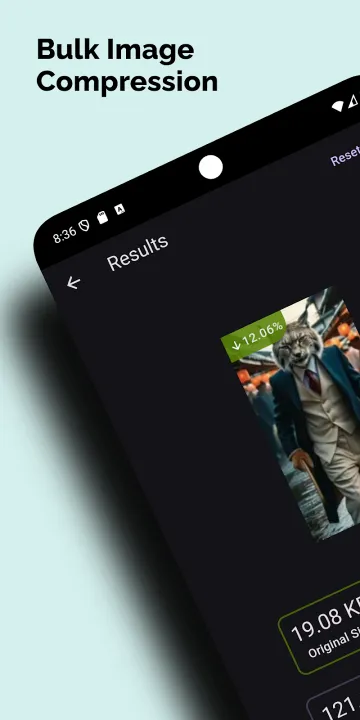
Work in batches
Select multiple images and process them together instead of repeating the same steps for each photo.
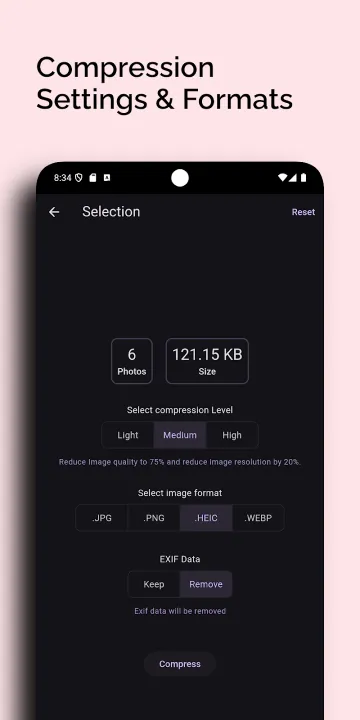
Choose your output
Use low, medium or high compression and choose JPG, PNG or WebP output to suit the task.
Review the results
Compare original and resulting file sizes, then save the processed images to your gallery.
A closer look
More photos. Less file size.
Prepare a set of photos for sharing or an upload without processing each one separately. Adjust compression to suit the job and compare the resulting file sizes. Savings and visual quality depend on the image, format and settings.
Find Squeezel: Image Compressor Pro on Google Play for the current release and availability.
App questions? Contact support ↗Good to know
A few answers.
What does Squeezel do?
Squeezel is an Android app for batch image compression and format conversion. It helps prepare multiple images for storage, sharing or uploads.
Which output formats are available?
Squeezel supports JPG, PNG and WebP output. Choose a format and compression level before processing your images.
Will every image become smaller without losing quality?
No. File size and visual quality depend on the input image, format and compression settings. Review the results before saving.
Does Squeezel contain ads?
Yes. See the app privacy policy for information about advertising and related processing.
Try it on Android